Merge 2 curves
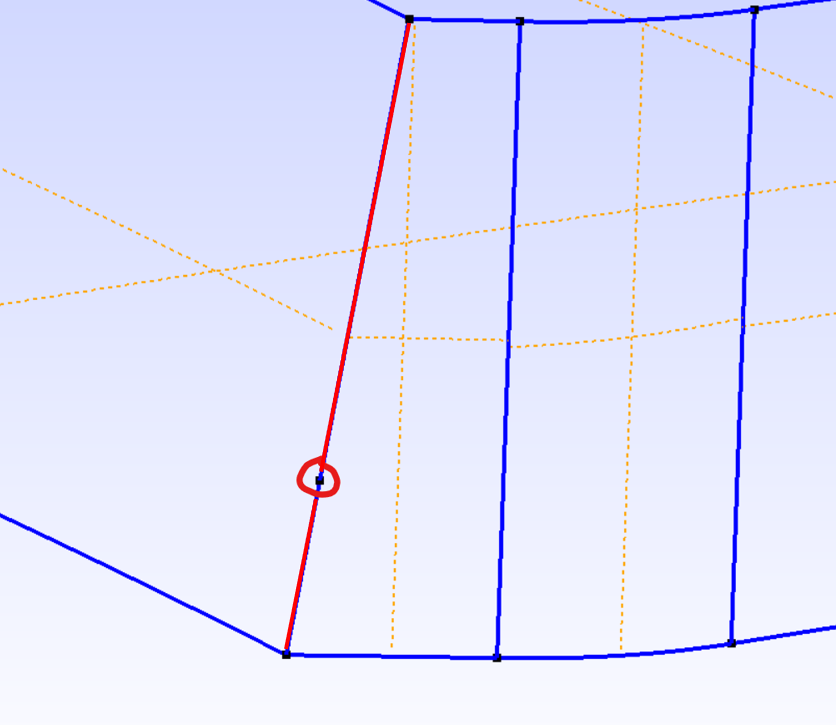
Merges two compatible curve entities into a single curve.
Keyboard shortcut
C
What it does
Use Merge 2 curves to simplify geometry when two neighboring curves should behave as one (for example after partitioning, imprinting, or cleanup operations).
The command:
- takes exactly two input curves,
- checks merge compatibility (topology/geometry),
- removes the internal boundary (point) between them when possible,
- creates one merged curve entity.
When to use it
Use this command when:
- two curves are part of the same physical face but were split earlier,
- meshing constraints should be applied on one unified curve,
- downstream operations require a single continuous curve.
Inputs
- 1. Curve 1: Curve one to be merged.
- 2. Curve 2: Curve two to be merged.
Preconditions
For a successful merge, the two selected curves should typically:
- share a common point/boundary,
- be geometrically compatible (same underlying support or mergeable representation),
- belong to the same model context/body rules supported by HexaMSH.
If these conditions are not met, HexaMSH can return an error or an invalid/degraded CAD result.
Output
- One new merged curve replaces the two input curves.
- Shared internal boundary (point) is removed.
Basic usage
Run from the GUI Geometry/Merge/Two Curves, then select the two curves.
Notes
- Merge operation is local: only the two selected curves are processed.
- Perform merge before any other CAD modification and mesh sizing when possible, to avoid rework.